
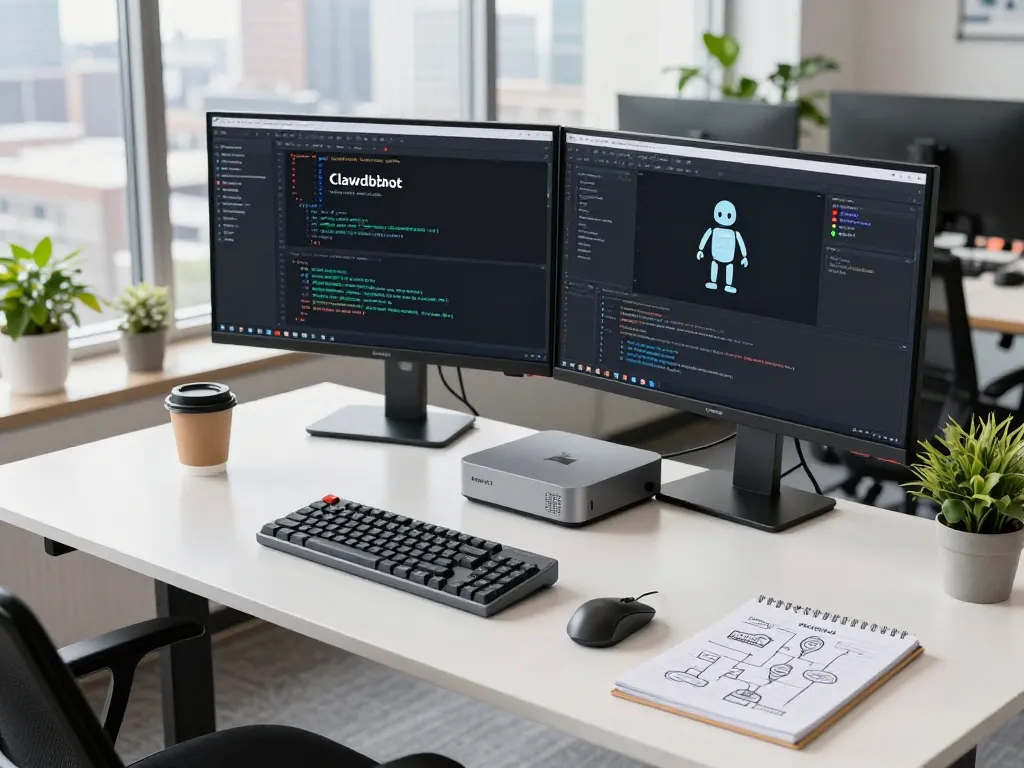
What is Clawdbot AI and How Does It Work with Mac Mini?
As the digital landscape evolves, personal AI assistants have become invaluable tools for managing daily tasks efficiently. Among these innovations, Clawdbot AI stands out as an open-source, self-hosted assistant that focuses on privacy and versatility. When exploring options, mac mini is a popular choice to host this powerful software, providing a balance of performance and energy efficiency. In this article, we’ll dive into what Clawdbot AI is, how it operates seamlessly on your Mac mini, and the vast array of features that make it an essential tool for productivity.
Understanding the Clawdbot AI Features
Clawdbot AI is designed to be both user-friendly and highly customizable. Its primary functions include clearing inboxes, managing calendars, and integrating with over 100 platforms like WhatsApp, Telegram, Discord, and Slack. The assistant builds a personalized understanding of user habits, preferences, and workflows over time, enhancing its effectiveness with each interaction.
- Contextual Memory: Clawdbot remembers previous conversations and context, enabling more relevant responses.
- Web Automation: Clawdbot automates repetitive browser tasks, saving time and reducing the likelihood of errors.
- Deep System Integration: Manage files, execute terminal commands, and run custom scripts directly from the chat interface.
- Extensible Architecture: Users can add capabilities through community-built skills or create custom plugins tailored to specific needs.
How Clawdbot Integrates with the Mac Mini
The Mac mini has been a favored model for those who want to self-host their AI assistant. Its compact design coupled with robust processing power and efficient energy use makes it ideal for running applications like Clawdbot. Users can install Clawdbot on macOS, and the setup can be completed with a few simple commands. The ability to choose between cloud AI providers or completely offline local models adds an extra layer of functionality and privacy.
The Benefits of Using Clawdbot on Your Mac Mini
Leveraging Clawdbot on your Mac mini presents many advantages:
- Cost-Effectiveness: With minimal ongoing costs primarily associated with AI model API usage, users often find themselves spending much less than with subscription-based services.
- Privacy Control: Since Clawdbot is self-hosted, users maintain full ownership of their data, enhancing privacy compared to cloud-based solutions.
- Customizability: Users can tailor their assistant to fit their unique workflows, optimizing productivity according to individual needs.
Installation Guide for Clawdbot on Mac Mini
Step-by-Step Installation Instructions
Installing Clawdbot on a Mac mini is straightforward. Here’s a step-by-step guide:
- Download the Installer: Visit the official Clawdbot website to download the installer specific to macOS.
- Run the Installer: Follow the on-screen instructions to install the necessary dependencies.
- Configure Your Settings: Set up your preferences, including selecting your preferred AI provider.
- Connect Platforms: Integrate with your messaging platforms (e.g., WhatsApp, Telegram) to get started.
System Requirements for Mac Mini Users
Before installation, ensure your Mac mini meets the following requirements:
- macOS 14 or later
- At least 4GB of RAM (8GB recommended for optimal performance)
- Internet connection for API access
- Sufficient storage space to accommodate the application
Troubleshooting Common Installation Issues
If you encounter problems during installation, consider the following troubleshooting steps:
- Check Compatibility: Ensure your macOS version is compatible with Clawdbot.
- Reinstall Dependencies: Sometimes, reinstalling dependencies can resolve installation issues.
- Consult Community Forums: The Clawdbot community is active and can provide solutions to common problems.
Cost Analysis: Clawdbot on a Mac Mini
Understanding Monthly API Costs
The primary ongoing cost associated with Clawdbot comes from API usage for the AI models you choose. Depending on your requirements, API costs can range from $5 to $50 per month. This fee is much more economical when compared to subscription-based AI solutions that can charge between $20 to $50 per month, offering significant savings over time.
Self-Hosting vs Subscription Models
The decision to self-host Clawdbot offers users greater flexibility and control. With self-hosting, you pay only for what you use in terms of API costs. Additionally, you avoid the recurring fees associated with subscription models, making it a more sustainable option for long-term users.
How to Optimize Costs with Clawdbot
To maximize the value you get from Clawdbot, consider the following strategies:
- Choose Cost-Effective API Plans: Select API providers that align with your usage patterns to minimize costs.
- Utilize Local Models: If privacy is a concern, consider using local models that do not require constant API calls.
- Community Plugins: Leverage community-built skills that can expand functionality without incurring additional costs.
User Experiences: Real-World Applications of Clawdbot on Mac Mini
Case Studies: Successful Implementations
An array of professionals from different fields have reported transformative impacts on their workflows since implementing Clawdbot on their Mac mini. Here we outline a few notable case studies:
- Product Manager: “Clawdbot has transformed how I manage my workflow. It automatically triages my emails, schedules meetings, and even drafts responses. The WhatsApp integration is a game-changer!”
- Software Engineer: “As a developer, I love that Clawdbot is open-source and self-hosted. I’ve customized it with my own skills, and it now handles my GitHub notifications and deploys code automatically.”
- Freelance Designer: “The Discord and Telegram integrations are perfect for managing my client communications. Clawdbot helps me stay on top of everything without being glued to my phone.”
User Testimonials and Feedback
User testimonials consistently highlight the effectiveness of Clawdbot. Many appreciate its ability to integrate into their existing workflows while providing valuable automation features. One marketing director noted, “I was skeptical about self-hosting, but the installation was surprisingly easy. Now Clawdbot manages my calendar, sends reminders, and even generates social media content drafts.”
Challenges Faced by Users and Their Solutions
While Clawdbot is generally well-received, some users face challenges such as installation hurdles or integration snags. However, these issues are often resolved through community support and documentation, making the platform accessible for users at all levels.
Future Trends: Clawdbot and AI Development for Mac Mini
Predictions for AI in 2026 and Beyond
As technology advances, the capabilities of Clawdbot and similar AI assistants are expected to grow. Future trends may include more robust natural language processing capabilities, better contextual awareness, and enhanced functionalities for different industries.
Emerging Features and Upgrades
Developers behind Clawdbot are actively working on new features and upgrades that will bring additional functionalities to users, making it an increasingly powerful tool for productivity. These features might include improved integration with emerging platforms and services, thus enhancing user experience.
Expert Insights on AI and Mac Mini Integration
Experts believe that the integration of AI with devices like the Mac mini will revolutionize personal productivity and workflow management. The combination of a powerful, energy-efficient machine with an adaptable AI assistant like Clawdbot creates a formidable productivity setup.
What is Clawdbot’s Role in Advancing Technology?
Clawdbot represents a significant step forward in the evolution of personal AI assistants. By promoting self-hosting and community-driven development, it empowers users while also enhancing control over their data, setting a precedent for future technology trends.
